The decision depends on risk and operations

No-code works for quick validation; custom websites work when the brand needs control, performance, integrations, or scalability.
When early speed becomes expensive
Choosing by trend creates debt: rigid platforms for complex needs or excessive code for a simple test.
Supported bysecure development practices across the lifecycle
How to compare control, integration, and maintenance

Evaluate the choice by scope, team, budget, integrations, content, and maintenance.
Implementation checklist
- Define what the website must achieve in 90 days.
- List required integrations and permissions.
- Evaluate who will update content.
- Compare initial cost and switching cost.
- Choose an architecture that can migrate.
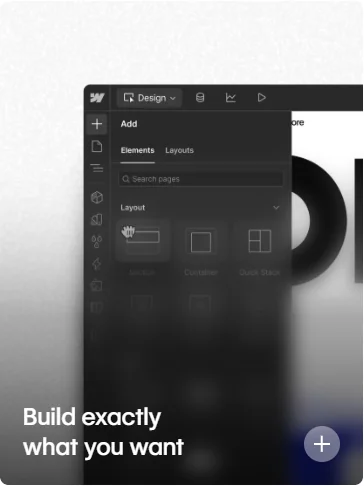
The visual editor brings content and design changes closer to the team.
Source · Webflow
Supported byverifiable security requirements for web applications
Costs to review over time
Measure launch speed, maintenance, performance, change capacity, technical dependency, and conversion.
The decision depends on the cost of changing later
No-code can launch quickly and serve sites with standard flows well. Custom development makes sense when rules, integrations, performance, or data control form part of the advantage. Choosing based on technical prestige wastes budget in either direction.
Inventory current requirements and likely changes over two years. Ask who can edit, which data must leave the platform, which integrations are critical, and what happens when vendors change. Portability is rarely complete, but it should be understandable.
Calculate total cost. Include licenses, development, maintenance, specialists, usage limits, and migration. A low monthly fee may grow with the business; an owned solution may require a team that does not exist today.
Criteria that actually change the choice
- Content, permission, and workflow complexity.
- Integrations, ownership, and data export.
- Performance, accessibility, and security requirements.
- Internal capacity to operate and maintain the solution.
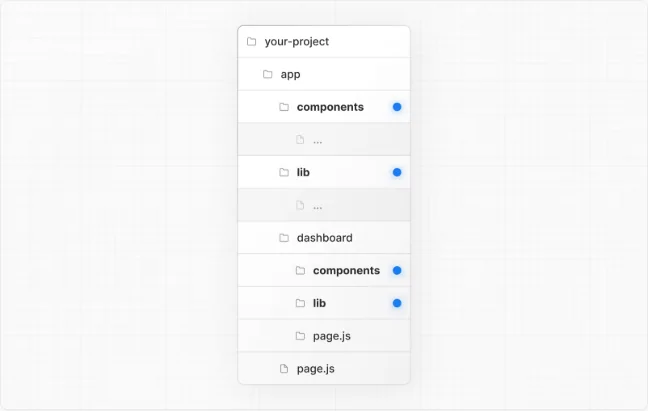
Custom control also requires a maintainable structure.
Source · Next.js
Supported byaccessibility criteria any platform should meet
Quick execution map
| Element | What to review | Quality signal |
|---|---|---|
| Intent | No-code works for quick validation; custom websites work when the brand needs control, performance, integrations, or scalability. | The answer is clear within seconds. |
| Implementation | Evaluate the choice by scope, team, budget, integrations, content, and maintenance. | There is one concrete and assignable action. |
| Measurement | Measure launch speed, maintenance, performance, change capacity, technical dependency, and conversion. | The data should change a decision. A report with no action adds work. |
Frequently asked questions
What does no-code vs custom website mean in practice?
No-code works for quick validation; custom websites work when the brand needs control, performance, integrations, or scalability.
What is a sensible first step for no-code vs custom website?
Define what the website must achieve in 90 days. Then continue with this action: List required integrations and permissions.
Which problem should no-code vs custom website prevent?
Choosing by trend creates debt: rigid platforms for complex needs or excessive code for a simple test.
How do you measure progress with no-code vs custom website?
Measure launch speed, maintenance, performance, change capacity, technical dependency, and conversion.