
Automating onboarding without losing guidance

Automating onboarding means capturing data, confirming payment, requesting access, scheduling meetings, and creating tasks without repeated manual work.
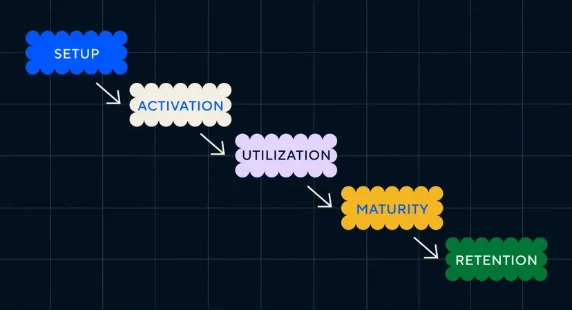
Organize onboarding around observable progress.
Source · Intercom
Where an automated welcome leaves customers alone
The first client experience sets trust. If the start is confusing, the project begins with operational debt.
Supported byonboarding guides a customer until they can realize value
How to combine messages, tasks, and human help

Map repeatable steps and keep human judgment for strategy, scope, and priorities.
Implementation checklist
- Send confirmation and next steps after hiring.
- Request information and files with a clear form.
- Record project, plan, and owners in CRM.
- Create internal tasks and key dates.
- Send reminders without overwhelming the client.
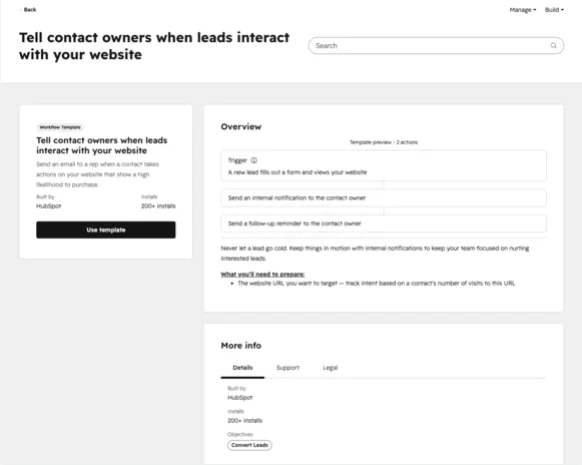
Repeatable tasks can retain owners and conditions.
Source · HubSpot Knowledge Base
Signals of healthy activation
Measure time to kickoff, incomplete fields, access delays, initial satisfaction, and internal tickets.
Supported bymeasure setup, activation, utilization, and maturity as distinct milestones
Automate coordination and keep the welcome human
Onboarding concentrates documents, permissions, expectations, and first decisions. Automating reminders and status changes reduces forgotten work. Automating the whole conversation can make a new customer feel abandoned when they have the most questions.
Request information when it will be used. A huge form before the first meeting transfers work to the customer and often produces weak answers. Split inputs by stage and explain why each is needed.
Every flow needs a visible exit. When a file is missing, payment fails, or scope changes, assign a person. The system should expose the blockage and next action instead of sending the same reminder forever.
Onboarding that can be audited
- An owner and date for every requested input.
- Confirmation when payment, contract, or access is complete.
- An exception path for missing data and scope changes.
- A first result that demonstrates progress to the customer.
Supported bybenchmarks for defining and comparing activation events
Quick execution map
| Element | What to review | Quality signal |
|---|---|---|
| Intent | Automating onboarding means capturing data, confirming payment, requesting access, scheduling meetings, and creating tasks without repeated manual work. | The answer is clear within seconds. |
| Implementation | Map repeatable steps and keep human judgment for strategy, scope, and priorities. | There is one concrete and assignable action. |
| Measurement | Measure time to kickoff, incomplete fields, access delays, initial satisfaction, and internal tickets. | The data should change a decision. A report with no action adds work. |
Frequently asked questions
What does client onboarding automation mean in practice?
Automating onboarding means capturing data, confirming payment, requesting access, scheduling meetings, and creating tasks without repeated manual work.
What is a sensible first step for client onboarding automation?
Send confirmation and next steps after hiring. Then continue with this action: Request information and files with a clear form.
Which problem should client onboarding automation prevent?
The first client experience sets trust. If the start is confusing, the project begins with operational debt.
How do you measure progress with client onboarding automation?
Measure time to kickoff, incomplete fields, access delays, initial satisfaction, and internal tickets.